

Modern data centers are the backbone of all types of digital business operations. As organizations scale and adopt complex architectures, managing these systems becomes increasingly challenging. Server and application management solutions play a critical role in maintaining uptime, improving visibility, and ensuring seamless performance across diverse environments.
These solutions monitor, automate, and optimize workloads so that businesses can focus on strategic growth instead of reactive maintenance. In 2025, the demand for efficient management tools continues to grow as enterprises seek ways to balance cost, performance, and scalability. This guide explores the 10 best server and application management solutions that help data centers stay agile, secure, and high-performing.
Why Efficient Management Solutions Are Crucial for Modern Data Centers
Data centers face quite a number of challenges each day. These include resource bottlenecks, network latency, and outages that can disrupt workflows and erode customer trust.
These challenges are why effective management tools are used. They offer real-time visibility into system performance, allowing for quick responses to server issues. A reliable server application software enhances uptime, capacity planning, and compliance tracking, while monitoring frameworks are essential to prevent common errors, like those in the server error in the CWTimesheet application.
Top 10 Server and Application Management Solutions
1. SolarWinds Server & Application Monitor (SAM)
- Overview: A solution designed to monitor hardware, virtual machines, application servers, and the software stack. It addresses both server and application performance, auto-discovers servers, and builds alerts and dashboards.
- Pros: Excellent visibility into both server and application layers; scalable for large environments; mature product with strong features.
- Cons: Higher cost for smaller organizations; learning curve for configuration; may include more features than smaller teams need.
- Pricing/Licensing: Varies by number of nodes, servers, and applications monitored. It may require modules for a full application-monitoring stack.
- Integration Capabilities: Integrates with many systems via SNMP, WMI, and REST APIs. It works on Windows, Linux, and virtualized systems.
- Support/Resources: Strong vendor support, extensive documentation, a user community, and training available.
2. ManageEngine OpManager
- Overview: A network and server monitoring tool with support for server health, application server metrics, performance dashboards, and fault management.
- Pros: Good for mixed environments (servers, network); easier to onboard for SMBs; cost-effective.
- Cons: May lack some advanced application-performance features of top-tier tools; pricing/licensing can become complex as you scale.
- Pricing/Licensing: Usually tiered by number of devices, servers, or nodes.
- Integration Capabilities: Supports plugins, real-time alerts; works across physical, virtual, and cloud.
- Support/Resources: Vendor training, user forums, documentation.
3. PRTG Network Monitor
- Overview: A monitoring solution that covers servers, network devices, and applications via sensors. It’s been cited in top-10 lists for server management tools in 2025.
- Pros: Intuitive UI; good for organizations wanting one-pane-of-glass visibility; flexible sensor-based model; supports cloud and on-premises.
- Cons: Free version is limited; for large-scale use, it may require more configuration; heavier deployment might need stronger hardware.
- Pricing/Licensing: Based on the number of sensors rather than simply servers.
- Integration Capabilities: Supports SNMP, WMI, HTTP, and API integrations; works in hybrid environments.
- Support/Resources: Strong user base, clear documentation.
4. Datadog
- Overview: A cloud-native monitoring and analytics platform that covers infrastructure, applications, logs, and traces. It’s strong for modern application server environments, containerized workloads, and hybrid cloud.
- Pros: Excellent for cloud, microservices, high-scale, ML-driven analytics; strong API-first architecture.
- Cons: Cost can climb steeply with scale; some features may require additional modules; may require skilled teams.
- Pricing/Licensing: Pay-as-you-go, based on hosts, data retention, and features; complexity can make pricing opaque.
- Integration Capabilities: Deep integrations with AWS, Azure, Kubernetes, containers, logs, and APM; supports modern stack, including application server metrics.
- Support/Resources: Extensive documentation, training, community, and marketplace for integrations.
5. Zabbix
- Overview: An open-source monitoring platform that supports servers, applications, networks, and cloud resources. Highly flexible, often used for large custom setups.
- Pros: Free; highly customizable; strong community; good for large-scale/complex needs.
- Cons: Requires more investment in setup and configuration; steeper learning curve; fewer “out-of-the-box” user-friendly features compared to commercial tools.
- Pricing/Licensing: Free core; may have cost for enterprise support or third-party add-ons.
- Integration Capabilities: Broad: supports many kinds of servers, containers, custom plugins, APIs.
- Support/Resources: Community support, third-party vendors for enterprise services.
6. LogicMonitor
- Overview: A SaaS-based monitoring platform for infrastructure, servers, applications, networks, and cloud. A strong contender in the 2025 list of server management tools.
- Pros: Rapid deployment, cloud-based delivery, good support for hybrid environments, strong dashboards.
- Cons: May cost more than simpler tools; heavy features may be under-utilized by smaller organizations.
- Pricing/Licensing: Generally subscription-based, per monitored resource or host; cloud SaaS model.
- Integration Capabilities: Good support for cloud services, virtualization, containers, and hybrid setups.
- Support/Resources: Strong vendor support; knowledgeable documentation; training options.
7. Site24x7
- Overview: A monitoring service that covers websites, servers, applications, cloud, and network. Widely cited for covering servers and applications in one platform.
- Pros: All-in-one visibility; good for digital service providers and data centers managing both server and application layers; easy to adopt.
- Cons: The Interface may feel dated to some; advanced customization might require higher-tier plans.
- Pricing/Licensing: Subscription plans depending on the number of servers, websites, and applications; cloud-based.
- Integration Capabilities: Supports synthetic monitoring, real-user monitoring, server metrics, and multi-cloud.
- Support/Resources: Vendor support, good documentation, and some community feedback.
8. Nagios XI
- Overview: A legacy but still highly relevant monitoring platform, focusing on server and application monitoring, with a large plugin ecosystem.
- Pros: Mature product, large plugin library, flexible, works on many platforms.
- Cons: UI is dated compared to newer tools; may require more manual setup and significant maintenance for large environments.
- Pricing/Licensing: Typically licensing by server/device, or subscription; may include support contracts.
- Integration Capabilities: Huge plugin ecosystem, works across Windows, Linux, virtual environments; custom scripting possible.
- Support/Resources: Community support and vendor support are available.
9. HPE OneView
- Overview: A management platform focused more on hardware and infrastructure from HPE, enabling integrated management of servers, storage, and networking; important in modern data centers and data center design.
- Pros: Strong for organizations using HPE hardware; good integration of infrastructure, firmware, and health monitoring.
- Cons: Tied into the HPE ecosystem; less focused on application-layer monitoring.
- Pricing/Licensing: Varies depending on hardware model and management licenses.
- Integration Capabilities: Works best with HPE servers, storage, and network gear; can integrate with other systems, though.
- Support/Resources: HPE support, training, and infrastructure-focused resources.
10. Dell OpenManage Enterprise
- Overview: The hardware-focused management tool from Dell for server fleets, enabling monitoring of health, firmware, and server lifecycle management. Relevant to server management in efficient data centers.
- Pros: Excellent for organizations standardized on Dell hardware; strong lifecycle, firmware, and remote management capabilities.
- Cons: Less focused on application-layer metrics; may require other tools to monitor the application server or the internet application server side of the stack.
- Pricing/Licensing: Typically included with Dell hardware, or available as an enterprise license; cost depends on scale.
- Integration Capabilities: Integrates with Dell hardware, may integrate with other management platforms; good for data center design and hardware management.
- Support/Resources: Dell support, remote access tools, firmware updates, documentation.
Key Features to Consider When Choosing a Management Solution
When evaluating server and application management solutions, focus on the following capabilities that enhance operational efficiency:
- Security features: Modern solutions should support secure data transmission, role-based access control, and detailed audit logs. When your application server reports issues such as a server error in the application, your tool must generate reliable alerts and track incidents.
- Real-time monitoring: Visibility into metrics such as CPU, memory, disk usage, network performance, and application server health is crucial. Immediate alerts help identify issues before they escalate.
- User-friendly interface: Ease of use determines adoption. A clear dashboard and intuitive setup documentation make onboarding smoother.
- Automation capabilities: Look for automated discovery, alerting, remediation, and integration with orchestration tools. Automation reduces manual tasks and response times.
- Scalability: Your tool must handle growth, thousands of servers, multiple application servers, and hybrid cloud architectures.
- Integration capabilities: Compatibility with your existing systems, including operating systems, applications, and cloud services, is vital for hybrid setups involving cloud and data center design.
- Application-layer awareness: Your tool should go beyond hardware metrics and monitor the actual performance of the application server itself.
- Cost transparency: Understand the pricing model to avoid unexpected costs as you scale.
- Support and training: Select solutions with comprehensive documentation, strong vendor support, and accessible training resources.
How to Implement These Solutions Effectively
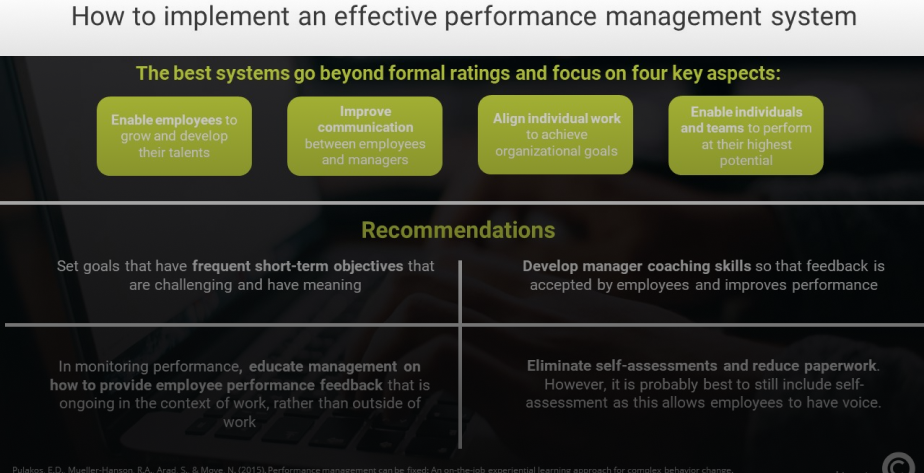
Implementation of application management solutions requires careful planning, starting with infrastructure assessment and compatibility checks. Here’s how:
- Define your requirements: Identify what servers, application servers, and error types need tracking, and determine your operational scale.
- Train your team: Equip IT staff to interpret metrics, manage alerts, and handle incidents efficiently.
- Map your infrastructure: Document servers, applications, and dependencies. Identify critical services and performance thresholds.
- Select candidate tools: Narrow your list to two or three solutions based on your environment, budget, and team skills.
- Pilot and test: Deploy the solution in a limited environment. Configure dashboards, alert thresholds, and recovery workflows to verify performance.
- Roll out deployment: Expand deployment across all systems once the pilot proves successful. Standardize alert policies and reporting.
- Ensure Hybrid Compatibility: Teams should also consider cloud design and deployment requirements to ensure hybrid compatibility.
- Integrate automation and incident response: Connect the solution with your ITSM systems for automated issue tracking and resolution.
- Review and optimize: Monitor alerts for false positives, adjust thresholds, and refine configurations for accuracy. Strong application server and services integration ensures consistent performance across all workloads.
- Use Training Tools: Training resources, such as JBoss application server beginner training, can empower IT staff to manage new tools efficiently.
- Plan for scalability: Ensure your solution adapts to evolving workloads such as cloud, edge, or containerized systems. A reliable internet or telephony application server integration can enhance system connectivity, while intuitive dashboards simplify decision-making for admins and CTOs alike.
- Testing and Monitoring: Continuous testing and proactive updates are key to preventing incidents like a server error in the application.
Potential Challenges
License scaling costs, legacy infrastructure integration, and limited expertise can risk operations. Effective planning, vendor collaboration, and phased implementation can address these challenges.
If you require professional support in selecting and deploying the right management platform, contact ZealsTECH. With years of experience delivering tailored business IT solutions, we ensure your systems perform efficiently, securely, and cost-effectively.
Comparative Analysis of Leading Solutions
Knowing the difference between a web server and an application server can help IT teams pick the right tools for their systems. A good application server makes it easier to keep track of things, reports updates, and ensures audits go well.
When comparing web server vs application server setups, it’s important to find a solution that fits your system’s needs rather than just looking at the price. Here’s a table comparing ten different tools and how well they work for different situations:
| Solution | Best-Fit Environment | Strengths | Considerations |
| SolarWinds SAM | Large enterprises, mixed server/app stacks | Full server + app monitoring | Higher cost, steeper learning curve |
| ManageEngine OpManager | SMBs to mid‐enterprises | Balanced features, cost-effective | May miss advanced app metrics |
| PRTG Network Monitor | Mixed servers & network devices | Intuitive UI, sensor-based | Free tier limited, larger scale config |
| Datadog | Cloud/native, microservices | Strong analytics, unified metrics | Cost increases with scale |
| Zabbix | Large custom infrastructures, open-source | Highly configurable, free core | Requires more setup, skills |
| LogicMonitor | Hybrid cloud / large environments | SaaS delivery, rapid deployment | Cost may be high |
| Site24x7 | All-in-one monitoring for servers/apps | Broad coverage, ease of use | UI may feel less modern |
| Nagios XI | Legacy/large enterprises with custom setups | Mature, flexible plugins | UI dated, manual configuration |
| HPE OneView | HPE hardware-centric data centers | Infrastructure/fleet management | Less focused on applications |
| Dell OpenManage Enterprise | Dell hardware-based environments | Strong for hardware & lifecycle | Application metrics may need add-ons |
Which To Choose Based On Size?
- For smaller teams or mid-sized organizations: Tools like PRTG, ManageEngine OpManager, or Site24x7 offer quick wins with manageable budgets.
- For large enterprises with complex infrastructures, SolarWinds SAM, Datadog, LogicMonitor, or Zabbix are suitable.
- For hardware-centric data centers: If you standardize on HPE or Dell, tools like HPE OneView or Dell OpenManage can add value for infrastructure management.
- For mixed application and server focus: Choose those with strong application-layer visibility.
Conclusion
Choosing the right internet application server management solution is crucial for your organization’s success. Each tool discussed here has unique strengths that cater to different environments, budgets, and objectives.
The key to making the right choice is to understand your operational priorities and align them with a solution that offers both flexibility and insights.
If you need expert assistance on how to manage your application server, reach out to ZealsTECH. We design robust server infrastructures that can easily minimize downtime, enhance efficiency, and ensure resilience across all digital layers. Get in touch today!
Frequently Asked Questions
Q1: What is server and application management?
Server and application management refers to the process of monitoring, configuring, maintaining, and optimizing both the hardware/virtual servers and the software applications that run on them. It involves health monitoring, performance tracking, error detection, capacity planning, automation, and more.
Q2: How do I choose the right management solution for my data center?
Start by assessing your infrastructure: the number of servers, types, applications, compliance/regulatory needs, budget, and internal skills. Then evaluate tools against key features and pilot a few. Use the comparative table above to match tools to your size and complexity.
Q3: Are these solutions compatible with cloud environments?
Yes. Many of the tools listed are cloud-friendly or SaaS-based and support hybrid environments, on-premises, public cloud, and private cloud. Tools like Datadog, LogicMonitor, and Site24x7 are explicitly designed for cloud and hybrid workloads.
Q4: What is the typical implementation timeline for these solutions?
It depends on scale. A small pilot deployment might take 2 to 4 weeks. A full data-center rollout across hundreds of servers and applications might take 3 to 6 months or more. Allow for training, policy development, and process changes.
Q5: How can I ensure ongoing support and training for these solutions?
Choose a vendor or solution with strong documentation, training modules, a user community, and support options. Plan internal training for your IT operations team. Conduct regular reviews of dashboards, alerts, and the tool’s performance. Partnering with an IT-solutions provider like ZealsTECH can help ensure you have white-glove support and tailored training.
Q6: Can a data-center design influence which management solution I pick?
Absolutely. If your data-center design includes a heavy hardware-centric layout, then infrastructure-centric tools may suit you. If you have a heavy application-server load, microservices, and a distributed architecture, then tools that emphasize application-layer visibility are better. Planning for growth, hybrid cloud, and cloud design and deployment strategies should influence your choice.